
I remember the day my eyes were officially over-the-hill. I was scrutinizing the ingredients in a new bottle of fancy shampoo when it hit me: I could not read the fine print. Squinting to read the back of a bottle was annoying, but the sudden inability to read a text, email or article on my phone was maddening.
Presbyopia, as I later learned it was called, comes for all of us sometime after age 40. “Once people notice it, they often describe it as, ‘My arms are too short to read now,’” says Dr Diane Hilal-Campo, board-certified ophthalmologist and founder of Twenty/Twenty Beauty. “That’s usually the first sign that presbyopia has set in,”
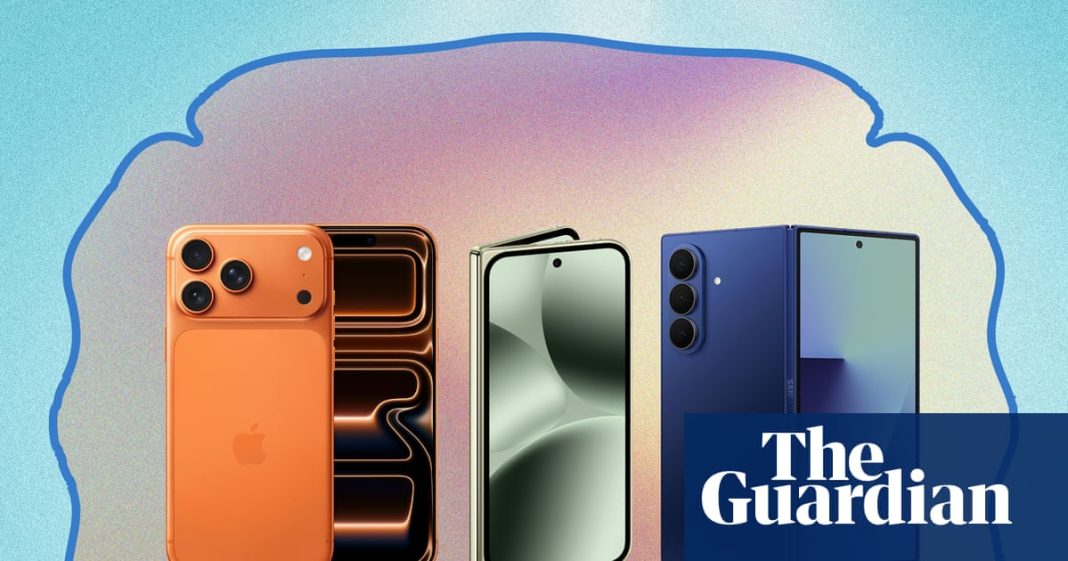
Reading glasses helped, but reaching for them every time I looked at my phone was a huge pain. I could increase the type size, but what I really needed was a bigger screen. Fortunately, the latest batch of smartphones offer no shortage of options. Apple users like me can reach for the iPhone 17 Pro Max with its 6.9-inch screen, while Android users can try the supersized Galaxy Z Fold 7 and the Pixel 10 Pro Fold, two folding models that unfurl to a tablet-like 8-inch screen.
Which is the best for ageing eyes? I set out to test all three models with my own battery of tests.
How we tested
All of these flagship phones are fast, thin, and have great cameras, so I skipped the usual benchmarks to focus exclusively on what matters to owners with ageing eyes: visual clarity and readability, assistive and accessibility features, and usability for ageing eyes.
First, I read emails, texts and web articles before and after zooming, compared the clarity of smaller text and looked at the readability of it all in both sunlight and dimmer indoor lighting. After this, I checked how easy it was to find and use the accessibility functions, including how quickly I could launch the magnifer, and how third-party apps for social media, messaging and banking could handle scaling.
Other tests included evaluating typing, comparing the weight of the phones when holding them at arm’s length, and whether battery life was affected by using all these features (the short answer: not that we could tell). Though my eyesight isn’t poor enough to use the text-to-voice settings regularly, I did try it on all three phones and was impressed with how easy it was to add as an accessibility shortcut.
We’ll be sending the phones back to the manufacturers when we’re through.
Apple iPhone 17 Pro Max
As the only non-foldable phone, Apple’s iPhone 17 Pro Max is noticeably lighter than the other two, but also comes with the smallest screen: a 6.9-inch OLED display. Like every model in this roundup, it refreshes at 120Hz, which makes scrolling and other fast motion look smoother.
Changing the system size of the font and adding bold text was simple, and I was able to quickly head into Settings, Accessibility, Display & Text Size to adjust accordingly – about 70% of max worked for me. Though my smaller iPhone 15 has the same features, I ended up changing it back because the larger text gobbled up way too much screen real estate – my kids teased me incessantly about how one text took up nearly the entire screen.
Not with this phone. I was immediately floored by how naturally text flowed, especially in messaging, on the 17 Pro Max screen. I was also rewarded with fewer breaks in formatting when reading web pages and in apps. However, even with the nearly 7-inch screen, headlines, like those on The Guardian app, still took up more lines than I’d like – it’s not a dealbreaker, but it bothered me nonetheless.
The built-in Magnifier app was also a godsend. Not only is it easy to toggle on, but once you do, you can add a shortcut to launch it by triple-clicking the side button. I broke this out mostly in dimly lit restaurants, letting me gleefully skip bogarting the flickering votive to read menus.
My biggest turn off was the Display Zoom feature, which makes everything larger system-wide, but it only worked consistently on the home screen or with Apple’s native apps. I also noticed that when my phone was in my bag or pocket, this feature sometimes mistakenly triggered and I had a heck of a time turning it off. One day I spent at least 30 minutes fiddling with buttons before I realized I had to doubletap the screen with three fingers. No thank you.
In a nutshell: If you are an Apple user and ready to dive into accessibility settings, the 17 Pro Max is worth the extra cash. The larger screen lets you see more text with enlarged, bolded fonts and the Magnifier can be launched via a simple shortcut. Text-to-voice was the simplest to set up out of the three phones, and it offers the most natural (and most diverse) voices.
Samsung Galaxy Z Fold 7
Samsung’s newest foldable opens like a book to reveal a huge 8-inch display, which is pretty convenient if you want to read something of substance – especially in a larger font. It also allowed me to hold the phone closer than the iPhone 17 Pro Max. Even when the phone is closed, the 6.5-inch front screen is larger than a standard iPhone 17 Pro display, which measures 6.3 inches.
The Fold 7 offers a wealth of accessibility features, all of which I found neatly filed under Settings, Accessibility, Vision Enhancements – they’re super simple to access. I immediately enlarged the font to 70% of max systemwide, which produced perfectly sized text for my naked eyes and generally made reading and typing a joy, especially on the bigger screen.
My one nitpick here was in the Gmail app: The text in my inbox was fine, but once I opened it, the font was giant. I could certainly read it, but it was offputting. However, in news apps like the Guardian, even the enlarged headlines took up fewer lines, and I felt more like I was reading from a tablet than a phone.
The Galaxy had my favorite Magnifier app: once turned on in the settings, you can just tap the little accessibility button on the lower right corner of the screen to bring it up. It lets you adjust the magnification level, but you can also click on the flashlight and fine-tune the brightness and contrast. Again, this is a total coup for low lighting.
after newsletter promotion
In a nutshell: Hurray for the larger, 8-inch screen! I loved reading articles and emails using the enhanced fonts and themes. In fact, it ended up making the screen feel less overwhelming than without the accessibility features. Once again, Display Zoom was not a favorite of mine here, due to the infuriating inconsistency with turning it on and off. So, if needed, I was much happier to use the basic Zoom feature. Text-to-voice was fine, but the voices sounded more robotic than Apple’s across the board. The Samsung is the lighter and thinner of the two foldables and was easier to hold with one hand, but its OS can be more complicated than Google.
Google Pixel 10 Pro Fold
While the Fold and Pixel both run Android, I’ve always preferred the standard version Google serves up to the version Samsung has tinkered with. Both phones offer a whopping 8-inch OLED display for extra screen real estate, but the Pixel’s front screen is just slightly smaller than its Samsung counterpart at 6.4 inches, and its edges are curved rather than sharp. This is the heaviest phone of the bunch, which means that holding it for too long can be annoying. It is the first foldable to offer IP68 dust and water resistance, so it should be able to survive a 30-minute dunk in three feet of water.
Like the other two flagship phones, Google’s offers a wealth of accessibility features in the Pixel. Under Settings, Accessibility, Display Size and Text, I found what I needed for enlarging my fonts and bolding text. Google does a great job of giving you a preview within the settings, so you can see exactly how your choices will look onscreen. I went for my usual 70% of max for font size and used bold text. Again, I reveled in the ability to read messages, emails and news stories sans reading glasses. Thankfully, Google does a much better job of tempering the font size in Gmail.
I set up the Magnifier to activate using a side button on the phone, so it was simple to bring up when needed. The zoom slider on the right lets you magnify up to 10x, and it has a flashlight button on the left. A setting button in the left corner allows you to adjust brightness and contrast, though I never felt the need to use them.
The 10 Pro Fold also offers a Google-specific voiceover feature called TalkBack, which was overkill for my needs but still worth calling out. It will speak aloud anything you choose on the display using a collection of swipes and taps, and you can add a shortcut to activate it. I appreciated its ease of use and the natural tone of the voices, but it can be hard to turn off for those who don’t use it regularly.
In a nutshell: Because Google crafts both the hardware and the OS, the Pixel 10 Pro Fold feels more streamlined than Samsung’s Galaxy Z Fold 7, and that extends to accessibility features. Articles flowed smoothly over both sides of the 8-inch display, and all the accessibility features had simple shortcuts, including TalkBack. Display Zoom can be accessed from a shortcut, but it’s just as clumsy to use and hard to navigate as on the other phones. While the 10 Pro Fold is a bit heavier than its Samsung peer, it’s worth it.
Which is best for you?
The best phone for ageing eyes will largely depend on which OS you prefer – it’s not worth switching for accessibility options, which are largely comparable between iOS and Android.
I am an Apple gal, which means that until the company decides to offer a foldable option, I’m going to stick to the 17 Pro Max. I valued how simple it was to enlarge text, how natural it looked on the larger 6.9-inch screen and how I could launch the magnifier with a simple shortcut – a godsend in dark restaurants.
If you’re an Android user, a foldable 8-inch screen offers a nice enhancement for anyone in need of larger type. I found the Pixel 10 Pro Fold to be the more streamlined option, with OS and hardware both crafted by Google. The Samsung OS can be more complex, leading specifically to inconsistencies in content scaling and readability in Display Zoom. However, the Galaxy X Fold 7 was the lighter, thinner of the two foldables, making it easier to throw in a pocket or bag.
What you need to know
What is presbyopia?
Simply put, presbyopia is a completely normal process that people start to notice in their early to mid-40s. “It’s where the lens inside the eye becomes less flexible, so focusing up close gets harder,” says Ashley Brissette, MD, MSc, FRCSC, Ophthalmologist at Kelly Vision. “You might first notice yourself holding menus or your phone a little farther away to read clearly. It’s a normal ageing change.”
“People start needing to wear reading glasses when they are perfectly corrected for distance at around age 40. It doesn’t always happen exactly at 40, but sometime in the early 40s, patients begin to notice they can’t focus up close when they’re perfectly corrected – whether with glasses, contact lenses, or even without correction if they naturally see 20/20 for distance,” adds Hilal-Campo.
If a bigger phone alone isn’t enough, you may have other options. “There are some great eye drops that are new to the market that can improve the reading vision temporarily,” Brissette says.
Which accessibility features are best for people over 40
Our favorite accessibility options include enlarging text and using the contrast and bold functions, which made reading easier across the board during our testing. Brissette agrees, adding, “Accessibility settings can be a game changer. My favorites are increasing text size and boldness, turning on ‘Display Zoom’ for iPhones or ‘Magnification’ on Android, and using voice assistants to read text aloud. High-contrast modes and dark mode can also reduce eye strain, and they are free on most phone models.”